lm358
The lm358 is a passive, analog or power part in the LabWired part catalog. Its catalog type is lm358. The catalog gives a supply range of 3–32 V. It has 8 pins. No device model of its own. On a signal net it is an element of the in-core analog circuit, solved next to the running firmware; wired only across supply rails (a decoupling capacitor, for example) it stays wiring only. Semiconductor models are large-signal, with no device capacitance.
From the catalog: Dual op-amp: one X line per wired unit, core LM358 card (AOL 100 V/mV, GBW 0.7 MHz, output to within 1.5 V of V+ and to ground). No slew limit beyond the pole, no input bias current, no output current limit.
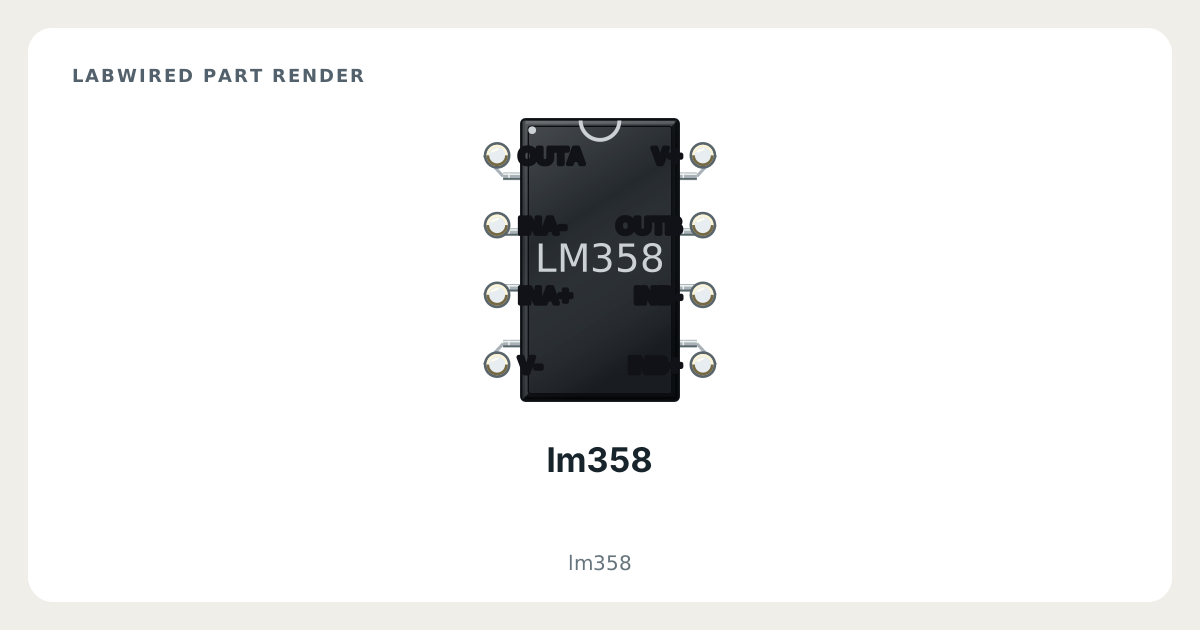
Key facts
| Category | Passive, analog and power parts |
|---|---|
| Catalog type | lm358 |
| Supply range | 3–32 V |
| Pins | 8 |
| Datasheet | Texas Instruments LMx58, LMx58x, LM2904x datasheet |
What LabWired simulates
Analog circuit element
Not applicable
lm358 pinout
- Other signals: INA+, INA-, OUTA, INB+, INB-, OUTB, V+, V-
| Pin | Electrical type | Function |
|---|---|---|
INA+ | Passive | — |
INA- | Passive | — |
OUTA | Passive | — |
INB+ | Passive | — |
INB- | Passive | — |
OUTB | Passive | — |
V+ | Passive | — |
V- | Passive | — |
How to simulate the lm358 in LabWired
- Open the Playground at app.labwired.com and place an MCU board.
- Add the lm358 (catalog type lm358).
- Connect INA+, INA-, OUTA, INB+, INB-, OUTB, V+ and V- as your circuit needs.
- Run the firmware. When the part is in an analog circuit, as described above, the in-core analog solver computes it next to the firmware.
Related Passive, analog and power parts
All Passive, analog and power parts · All parts
Modelled from Texas Instruments LMx58, LMx58x, LM2904x datasheet.